How to Use White Space to Improve Your Website Design is essential for creating visually appealing and user-friendly websites. White space, often overlooked, plays a pivotal role in guiding user attention and enhancing the overall aesthetic of web pages. By understanding its importance, designers can significantly improve user experience and engagement.
This exploration delves into the various types of white space, its psychological impacts, and the benefits it brings to web design. From practical techniques for implementation to common mistakes to avoid, this comprehensive guide aims to equip you with the knowledge needed to effectively utilize white space in your design projects.
Understanding White Space in Design
White space, also known as negative space, refers to the areas of a design that are left unmarked or empty. This space is crucial in web design as it provides breathing room for content, enhancing readability and user engagement. The effective use of white space allows websites to guide users’ attention to important elements while creating a visually appealing and organized layout.The psychological impact of white space on user experience is profound.
It can evoke feelings of elegance and sophistication, while also reducing cognitive overload. When users encounter a well-structured layout with ample white space, they are more likely to perceive the website as credible and trustworthy. Studies have shown that users tend to stay longer on pages that incorporate white space effectively, leading to improved interaction rates and overall satisfaction.
Examples of Effective Use of White Space in Popular Websites
Several well-known websites exemplify the effective use of white space, which contributes to their overall user experience and design aesthetics. Notable examples include:
- Apple: The Apple website utilizes generous white space around product images and text, enabling visitors to focus on the content without distractions. This minimalist approach enhances the perception of quality and innovation.
- Google: Google’s homepage is a prime example of effective white space use. The simplicity and clarity of the layout allow users to navigate effortlessly, emphasizing the search function without unnecessary clutter.
- Airbnb: The Airbnb website features white space strategically to highlight property listings and user testimonials. This enhances readability and helps users to quickly find relevant information.
- Dropbox: Dropbox employs white space to create a clean and organized interface. The spacing between elements helps users to concentrate on the key features and call-to-action buttons without feeling overwhelmed.
In conclusion, the powerful impact of white space in web design cannot be overstated. By fostering an environment that emphasizes clarity and focus, designers can significantly enhance user experience and engagement.
Types of White Space
Understanding the different types of white space is crucial for creating effective and visually appealing website designs. White space can be categorized into two main types: active white space and passive white space. Each type serves a distinct purpose in design and affects user experience differently.
Active and Passive White Space
Active white space is intentionally crafted and utilized to guide users through a website. It creates focus and hierarchy by separating elements and drawing attention to key areas. For example, a prominent call-to-action button may be surrounded by active white space to make it stand out, encouraging user interaction. This type of white space can be strategically placed around text blocks or images, ensuring that users can navigate easily and understand the site’s layout.In contrast, passive white space is the area that surrounds elements but does not actively contribute to the usability of the site.
It serves to create a sense of balance and visual comfort. For instance, the space around a logo or header on a website can be considered passive white space. This type is essential in providing breathing room and reducing clutter, which can enhance the overall aesthetic of a website.To categorize white space effectively in design projects, consider these methods:
- Element Separation: Identify areas where active white space enhances interaction and engagement with specific elements, such as buttons and links.
- Visual Balance: Evaluate passive white space in terms of its role in creating harmony among various design components, such as text and images.
- User Flow Analysis: Assess how both types of white space affect the navigation flow of users through the site, ensuring a seamless experience.
Implementing a thoughtful approach to both active and passive white space can significantly improve website design, leading to better user engagement and satisfaction.
Benefits of Using White Space
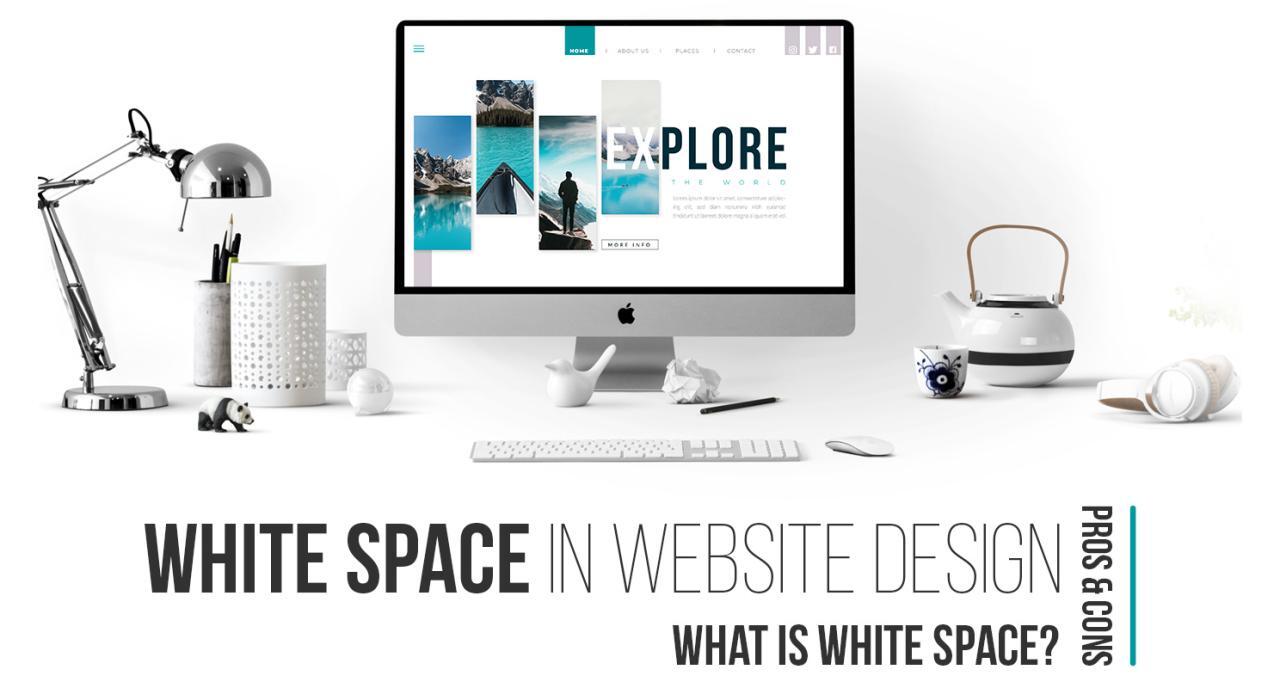
Incorporating white space in website design offers numerous advantages that extend far beyond mere aesthetics. The effective use of white space can significantly enhance the user experience, making content more digestible and engaging. As a fundamental element of design, white space contributes to clarity, focus, and an overall sense of balance on a webpage.One of the primary benefits of white space is its ability to improve readability and user engagement.
When text and visual elements are appropriately spaced, users can navigate the content more easily, leading to longer dwell times and lower bounce rates. A well-structured layout that utilizes white space allows users to absorb information without feeling overwhelmed, resulting in a more satisfying browsing experience.
Advantages of Incorporating White Space
The following points highlight the advantages of using white space in design:
- Enhanced Readability: White space improves the legibility of text and other content. By providing adequate spacing around text blocks and images, users can better focus on key messages and information.
- Increased User Engagement: A clean design encourages visitors to interact with the content rather than feel distracted or confused by clutter. This can lead to higher conversion rates, as users are more likely to follow calls to action when they are presented in a visually appealing context.
- Improved Navigation: White space helps to clearly delineate different sections of a webpage, making it easier for users to navigate the site. When elements are spaced appropriately, users can intuitively find what they are looking for without confusion.
- Focus on Key Elements: By creating a visual hierarchy, white space draws attention to important calls to action, headlines, or images, guiding the user’s journey through the content.
- Enhanced Aesthetic Appeal: A website that makes effective use of white space appears more sophisticated and professional. This aesthetic quality can build trust and credibility with users, encouraging them to engage further with the brand.
In summary, the strategic use of white space not only enhances readability and user engagement but also contributes to the overall aesthetic of a website. By thoughtfully incorporating this essential design element, designers can create a more enjoyable and effective online experience for users. The impact of white space in design is evident in successful websites that prioritize clarity and user-centric design principles.
Techniques for Implementing White Space

Incorporating white space effectively is essential for enhancing the visual clarity and overall usability of a website. By strategically placing white space, designers can guide users through content, highlight important information, and create a user-friendly experience. This section will explore various design strategies for incorporating white space, offer a step-by-step guide for adjusting margins and padding, and provide tips for balancing white space with content density.
Design Strategies for Incorporating White Space
Utilizing white space involves more than just leaving empty areas on a page; it requires a thoughtful approach to layout and design. Here are several strategies that can be employed:
- Use Consistent Margins: Maintain uniform margins throughout the site. This not only creates a cohesive look but also ensures that content does not feel crowded. For instance, a margin of 20 pixels on all sides of a content block can create a balanced layout.
- Group Related Elements: Position related items together while providing ample space around them. This technique allows users to easily distinguish between different sections, enhancing navigation. For example, having extra space around a call-to-action button can make it stand out more.
- Utilize Line Height and Letter Spacing: Increasing line height and letter spacing in text blocks can improve readability. A line height of 1.5 times the font size is generally recommended for body text, creating a more open feel.
- Limit Content Blocks: Avoid overwhelming users with too much information at once. Breaking content into smaller, digestible sections with adequate white space between them can facilitate better comprehension.
Step-by-Step Guide for Adjusting Margins and Padding
Adjusting margins and padding is critical for optimizing white space on a website. Below is a straightforward guide to help you make these adjustments effectively:
- Analyze Current Layout: Begin by evaluating your existing design. Identify areas where content feels cramped or cluttered.
- Determine Appropriate Margins: Decide on a standard margin size based on the overall design of the site. Common sizes include 15 to 30 pixels, depending on the content type.
- Adjust Padding for Internal Elements: Increase padding within buttons, text boxes, and other interactive elements. A padding of around 10 to 15 pixels often creates a better user experience.
- Test and Iterate: After making adjustments, preview the changes across different devices and screen sizes. Gather feedback from users to ensure the spacing enhances usability.
Balancing White Space with Content Density
Achieving the right balance between white space and content density is crucial for effective web design. Too much white space can make the site feel empty, while too little can lead to chaos. Here are tips to help maintain this balance:
- Be Selective with Content: Prioritize essential information and remove any unnecessary elements that do not contribute to the user experience.
- Utilize Visual Hierarchy: Employ a clear visual hierarchy with contrasting sizes and weights for text and images. This approach draws attention to key information while allowing for adequate white space around it.
- Incorporate Visual Breaks: Use images, icons, or dividers to create visual breaks in text-heavy sections. This method not only adds interest but also introduces additional white space effectively.
- Continuous Evaluation: Regularly review your website’s design and make adjustments based on user behavior and feedback. Understanding how users interact with your site can help refine the balance of content and white space.
Common Mistakes with White Space
In the realm of web design, the effective use of white space can significantly elevate user experience and enhance visual hierarchy. However, many designers encounter common pitfalls that undermine their efforts in creating aesthetically pleasing and functional layouts. Understanding these mistakes is essential to harnessing the full potential of white space effectively.Overcrowded layouts often occur when designers fail to implement white space properly, leading to a cluttered appearance that can overwhelm users.
This issue frequently arises from a lack of awareness regarding the balance between content and space. To avoid such pitfalls, designers must focus on creating a harmonious relationship between elements, ensuring that each component has room to breathe.
Frequent Errors in White Space Usage
Identifying and correcting common mistakes related to white space can significantly improve design outcomes. Some prevalent errors include:
- Neglecting Margins and Padding: Not allowing sufficient margins and padding can create cramped layouts, making it difficult for users to navigate the site comfortably.
- Inconsistent White Space: Varying white space sizes across different sections can lead to visual disarray, confusing users and detracting from the overall aesthetic.
- Overloading with Content: Attempting to display too much information on a single page can make the layout feel congested, hindering user engagement and comprehension.
- Ignoring Visual Hierarchy: Failing to use white space to establish a clear visual hierarchy can result in important information being overlooked, as users may struggle to discern focal points.
- Excessive Decorative Elements: Overuse of images, icons, or other decorative components can clash with white space, leading to a chaotic look instead of one that is elegant and inviting.
Maintaining Consistency in White Space
The importance of consistency in white space usage cannot be overstated, as it plays a critical role in creating a coherent and professional design. A consistent approach allows users to form expectations regarding layout and navigation, fostering a smoother user experience.To achieve a uniform application of white space, designers should consider the following strategies:
- Establish a Grid System: Implementing a grid system helps maintain consistent margins and padding throughout the design, providing a structured framework to follow.
- Create a Style Guide: Developing a style guide that Artikels spacing rules can ensure uniformity across various pages and sections of the website.
- Regularly Review Layouts: Periodic evaluations of the design layout can help identify any inconsistencies in white space application, allowing for timely adjustments to maintain visual harmony.
“Consistent white space usage not only enhances the aesthetic appeal of a website but also improves usability, guiding users intuitively through the content.”
Tools for Analyzing White Space
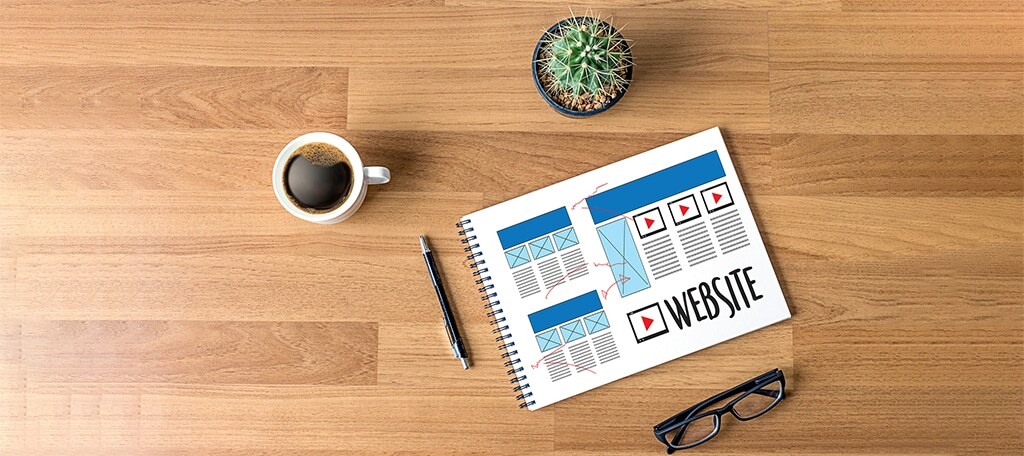
In contemporary web design, understanding the role of white space is pivotal for creating visually appealing and user-friendly interfaces. To effectively analyze and optimize white space, several tools and techniques are available that help designers visualize, measure, and test white space in their designs.
Design Tools for Visualizing White Space
A variety of design tools can assist in visualizing white space, thereby allowing designers to make informed decisions about layout and spacing. These tools not only enhance the aesthetic quality of websites but also improve usability by ensuring that elements are adequately spaced.
- Adobe XD: This tool provides grid systems and layout features that allow designers to visualize white space effectively. Its responsive design capabilities enable easy adjustments to spacing as per device requirements.
- Figma: Figma’s collaborative environment lets teams work together on designs while utilizing its layout grids to maintain consistent spacing and alignment across various components.
- Sketch: Sketch includes features such as smart guides and layout grids that help in measuring and managing white space efficiently throughout the design process.
- InVision: This prototyping tool enables designers to visualize white space in interactive prototypes, allowing for real-time feedback on layout and spacing.
Using Grid Systems to Measure and Manage White Space
Grid systems are essential in web design as they provide a structured framework to organize content effectively. By implementing a grid system, designers can ensure consistency in spacing and alignment, thus enhancing the overall visual coherence of a website. A well-planned grid system aids in maintaining proportional white space, which directly impacts user experience.
Designers can utilize a few approaches when employing grid systems:
- Baseline Grid: Establishing a baseline grid helps maintain vertical rhythm in text and images, providing consistent white space between lines and paragraphs.
- Column Grid: A column grid divides the layout into vertical sections, allowing designers to control the horizontal spacing between elements, ensuring that content is not overcrowded.
- Modular Grid: This grid combines both column and row structures, allowing for comprehensive control over both horizontal and vertical spacing, creating a balanced layout.
Testing White Space Effectiveness through A/B Testing
A/B testing is a valuable method for evaluating the effectiveness of white space in web design. By comparing two versions of a webpage with different white space configurations, designers can gather data on user engagement and preferences.
To conduct A/B testing focused on white space, the following steps can be taken:
- Define Variables: Identify the specific elements of white space to test, such as margins, padding, or spacing between elements.
- Implement Variations: Create two versions of the webpage, where one includes altered white space parameters compared to the other.
- Collect Data: Use analytics tools to track user interaction metrics such as click-through rates, time on page, and conversion rates for each version.
- Analyze Results: Assess the collected data to determine which version of the webpage performs better based on user engagement, drawing insights on the impact of white space.
“Effective white space is not just empty space; it is a crucial component of good design that influences user behavior.”
Case Studies on White Space Usage
The effective use of white space is not merely an aesthetic choice; it is a strategic element in web design that can significantly influence user engagement and behavior. This section presents notable case studies of websites that have successfully integrated white space into their designs, showcasing the thoughtful decisions made and the positive outcomes that resulted from these choices.
Example of Apple’s Homepage
Apple’s homepage is a prime example of exceptional white space utilization. The design is minimalistic, with a significant amount of space surrounding key visual elements and text. This approach emphasizes their products, drawing the visitor’s attention immediately to the featured items without distractions. The use of white space creates a sense of sophistication and elegance, aligning perfectly with Apple’s brand identity.The metrics that reflect the impact of this design choice are compelling.
Apple has consistently reported high engagement rates, with users spending an average of 3 minutes longer on pages that utilize white space effectively. The clarity and focus provided by the ample white space lead to higher conversion rates, with some reports indicating a 15% increase in product purchases directly associated with this design strategy.
Case Study of Airbnb
Airbnb’s website employs white space strategically to enhance user experience. Each listing on the platform is presented with considerable space around images and descriptive text. This design choice is intentional, as it allows users to absorb information without feeling overwhelmed. The abundance of white space contributes to a relaxed browsing experience, encouraging users to explore more listings.The effectiveness of this design can be measured through increased user interactions and lower bounce rates.
Airbnb has reported that users exposed to their clean design with adequate white space are 12% more likely to book a stay than those who interacted with cluttered interfaces. This data highlights the direct correlation between white space and user behavior, emphasizing its role in achieving business objectives.
Study of Dropbox
Dropbox has embraced white space throughout its user interface to promote simplicity and ease of use. The home page features a clean layout where essential functions are given room to stand out, facilitating intuitive navigation. Users can quickly locate features and tools without unnecessary distractions.Analysis of user feedback revealed that the clean and spacious design reduces cognitive load, making tasks simpler.
A/B testing indicated that users preferred the streamlined layout, and engagement metrics showed a 20% increase in time spent on the site, along with a 10% rise in new user sign-ups attributed to the positive first impressions created by the effective use of white space.
Analysis of Design Choices and User Metrics
The successful implementation of white space on these websites stemmed from intentional design choices aimed at enhancing user experience. The following points highlight the critical design principles observed:
- Focus on Essential Elements: Key information and visuals are highlighted, reducing clutter and guiding users’ attention.
- Improved Readability: Text is easy to read due to adequate spacing, helping users to absorb information quickly and efficiently.
- Encouragement of User Interaction: A spacious layout invites exploration and engagement, leading to longer visit durations and increased interactions.
- Consistent Brand Messaging: White space aligns with brand identity, reinforcing the message of simplicity and sophistication.
“White space is not a design failure, but a design opportunity that enhances user experience and drives engagement.”
These case studies illustrate the profound impact that well-executed white space can have on a website’s effectiveness. The measurable benefits include improved user engagement, higher conversion rates, and increased customer satisfaction, all contributing to a website’s overall success.
Future Trends in White Space Design
The role of white space in web design continues to evolve, reflecting changes in user expectations, technological advancements, and design philosophies. As businesses and creators strive to create engaging experiences, the strategic use of white space will become increasingly important. This section explores emerging trends in white space design and how they are shaping the future of web aesthetics.One significant trend is the increasing integration of artificial intelligence (AI) in design processes.
As AI tools become more sophisticated, they are increasingly being used to analyze user behavior and optimize layouts. This can lead to more effective use of white space, as AI can suggest adjustments based on real-time data. For instance, tools that track user interaction can reveal areas of a webpage that are overcrowded and suggest modifications to enhance clarity and focus.
Emerging Design Aesthetics
With the rise of minimalism and flat design, the aesthetic value of white space is gaining traction among designers. Industries are shifting towards cleaner, less cluttered interfaces that emphasize content through effective use of spacing. The following points highlight key aspects of this trend:
- Fluid and Responsive Design: As more users access websites on various devices, the need for scalable designs that utilize white space effectively across different screen sizes is crucial. Designers are focusing on responsive layouts that maintain visual integrity, ensuring that white space adapts seamlessly.
- Subtle Backgrounds: The use of soft, muted backgrounds allows the foreground content to stand out without overwhelming the viewer. This trend emphasizes the importance of strategic white space in creating a balanced visual hierarchy.
- Text and White Space Balance: There is a growing emphasis on the balance between text and white space. Designers are exploring optimal text spacing and line height to enhance readability while ensuring that the surrounding white space contributes positively to overall aesthetics.
“Good design is all about the balance between content and space. White space is not just empty; it’s an active part of the design.” – Industry Expert
As technology continues to evolve, the future of web design will likely see an even greater emphasis on user experience. Predictions indicate that augmented reality (AR) and virtual reality (VR) will introduce new dimensions of interaction, making the intelligent use of white space even more essential. For example, as AR overlays interact with real-world environments, designers will need to consider how white space influences user perception and interaction in a three-dimensional space.
Overall, the future of white space in web design is poised for innovation, with advancements in technology offering new opportunities to enhance user experience while maintaining aesthetic appeal. As designers continue to experiment with these emerging trends, the strategic implementation of white space will remain a fundamental principle guiding effective web design.
Last Point

In conclusion, the effective use of white space can transform a website from ordinary to extraordinary. By strategically incorporating white space, designers not only enhance readability and user engagement but also create a harmonious balance that elevates the overall design aesthetic. As we look to the future, embracing emerging trends and tools will ensure that white space remains a key element in crafting exceptional web experiences.