How to Plan Your Website for Maximum Impact is not merely a technical endeavor but a strategic journey that can define your online presence. In today’s digital landscape, a well-planned website serves as the cornerstone of your business, effectively communicating your brand’s message while catering to the needs of your target audience. Understanding the interplay between website objectives and business goals is crucial in crafting an engaging and functional online environment.
This comprehensive guide will navigate the essential components of website planning, from understanding your site’s purpose to incorporating effective calls to action. Each section is designed to equip you with the knowledge needed to create a user-friendly, visually appealing, and technically sound website that resonates with visitors and drives engagement.
Understanding the Purpose of Your Website
Creating a website requires a clear understanding of its purpose, as this forms the foundation for its design, content, and functionality. A website should not merely exist; it must serve specific, critical functions that align with both user expectations and business objectives. By defining these purposes, businesses can create a more effective online presence that resonates with their target audience.One of the essential functions of a website is to provide relevant information to visitors.
This information can range from the products and services offered to insightful content that addresses customer needs. Additionally, websites serve as platforms for customer engagement, allowing interaction through comments, forms, and social sharing, thereby enhancing user experience.
Identifying the Target Audience and Their Needs
Understanding your target audience is paramount in planning an impactful website. This involves researching who your visitors are, their interests, and their pain points. By identifying these aspects, you can tailor your website’s content and features to meet their specific needs effectively. Key aspects to consider include:
- Demographics: Age, gender, income level, and education can significantly influence content presentation.
- Behavioral Patterns: Understanding how your audience interacts with similar websites can inform your design choices.
- Preferences: Gathering insights on what your audience values in a website will ensure you prioritize those elements.
A well-defined target audience enables businesses to create personalized experiences, fostering a deeper connection with users.
Aligning Website Goals with Business Objectives
For a website to be truly effective, its goals must align with broader business objectives. This alignment ensures that every aspect of the website—from design to functionality—supports the organization’s mission and strategic goals. To achieve this, businesses should:
- Define Clear Objectives: Objectives might include increasing sales, generating leads, or enhancing brand awareness.
- Establish Key Performance Indicators (KPIs): KPIs can include website traffic, conversion rates, and user engagement metrics, providing measurable outcomes for success.
- Integrate Marketing Strategies: Ensuring that your website complements marketing efforts, including social media and email campaigns, maximizes its impact.
Aligning goals creates a cohesive strategy, reinforcing the company’s vision and driving growth through effective online engagement.
“A website is the window to your business. Ensure it reflects your goals and meets your audience’s needs.”
Structuring Your Website Layout

Creating an effective website layout is crucial for enhancing user experience and ensuring that your content is presented in a clear and organized manner. A well-structured layout allows visitors to navigate your site seamlessly, which can lead to increased engagement and conversions. This section will explore the essential elements of structuring your website, focusing on wireframing, layout options, and navigation organization.
Creating a Basic Wireframe for Your Website Design
A wireframe serves as a blueprint for your website, outlining the structure and layout of your pages without the distraction of design elements. It helps in visualizing the arrangement of content and the flow of user interactions. To create a basic wireframe, consider the following elements:
Header
This typically contains your logo, main navigation links, and possibly a search bar.
Footer
A section reserved for copyright information, additional navigation links, and contact details.
Main Content Area
The focal point of each page, where the primary information is displayed.
Sidebar
Optional space for supplementary content, such as recent posts, ads, or social media links.Utilizing tools such as Adobe XD, Sketch, or even pen and paper can aid in drafting your wireframe, enabling you to iterate on the design before moving to the visual stage.
Layout Options for Various Types of Content
Different types of content require tailored layout options to enhance readability and engagement. Choosing the right layout for your website can depend on the content you plan to showcase. Below are several layout options:
Grid Layout
Ideal for image-heavy sites like portfolios or e-commerce platforms, this layout organizes images and text in a grid format, providing a clean and structured appearance.
Single Column Layout
Best suited for blogs or storytelling websites, this layout focuses on a single stream of text, ensuring clarity and ease of reading.
Split Layout
This option allows for two content areas side by side, making it effective for comparison sites or when showcasing two related subjects.
Masonry Layout
Often used for galleries or visual portfolios, this layout arranges items in a staggered grid, making use of vertical space and offering a dynamic visual impact.When deciding on a layout, consider the user experience and the type of content you wish to present, ensuring that each layout option serves its intended purpose effectively.
Organizing Main Navigation and Submenu Structures Effectively
An intuitive navigation structure is fundamental to a successful website, allowing users to find the information they seek with minimal effort. A well-organized main navigation and submenu can significantly enhance user experience. Here are some tips:
Hierarchy
Organize your navigation items in a logical hierarchy, placing the most critical items first. This ensures that users can access primary content easily.
Descriptive Labels
Use clear and concise labels for your navigation links. Users should understand what to expect when clicking on a menu item.
Dropdown Menus
For subcategories, consider using dropdown menus that reveal additional options when hovered over or clicked. This keeps the main navigation clean while providing access to related content.
Sticky Navigation
Implementing a sticky navigation bar that remains visible as users scroll can enhance accessibility to important links, ensuring users can navigate without scrolling back to the top.By effectively organizing your navigation structure, you can guide users through your website, improving the overall user journey and making information retrieval straightforward.
Content Strategy Development
Developing a solid content strategy is essential for achieving maximum engagement on your website. This involves not only determining the types of content that resonate with your audience but also ensuring that this content is organized in a way that encourages interaction and sharing. A well-defined content strategy acts as the backbone of your website, guiding visitors through a cohesive narrative and enhancing their overall experience.To create a successful content strategy, it is crucial to understand the types of content that will engage your audience effectively.
This includes various formats such as blog posts, videos, infographics, podcasts, and social media updates. Each type serves a unique purpose and can be leveraged to address specific needs within your audience. It is important to consider the following types of content for maximum engagement:
Types of Content for Engagement
The right mix of content types can significantly enhance user engagement. Here are several formats to consider:
- Informative Articles: Blog posts that provide valuable insights, how-to guides, or in-depth analyses on relevant topics.
- Visual Content: Infographics and images that present data in a visually appealing and easily digestible format.
- Video Content: Engaging videos that explain services, showcase products, or tell brand stories, enhancing relatability.
- Podcasts: Audio content that allows for deeper discussions, interviews, and storytelling, catering to audiences on the go.
- User-Generated Content: Content created by your audience, such as testimonials or reviews, fostering community and trust.
Establishing a content calendar is a crucial method for ensuring consistent and timely content delivery. A well-structured calendar helps in organizing content themes, publishing dates, and platforms for distribution. This systematic approach allows for proactive planning and can contribute significantly to your website’s effectiveness.
Content Calendar Development
Creating an effective content calendar involves several steps. Here are the essential components to consider:
- Identify Key Dates: Mark important holidays, events, or industry-specific dates that your content can align with to leverage timely relevance.
- Set Content Themes: Organize monthly or weekly themes that coincide with your audience’s interests and your marketing objectives.
- Plan Content Types: Decide which formats (e.g., blog posts, videos) will be produced for each theme, ensuring a diverse content mix.
- Assign Responsibilities: Clearly Artikel who is responsible for content creation, editing, and publication to streamline the workflow.
- Review and Adjust: Regularly revisit and adjust the calendar based on performance metrics and audience feedback to ensure continuous improvement.
To maintain a coherent voice and style across all content, it is vital to establish clear guidelines for tone, style, and branding. Consistency in these areas fosters trust and strengthens your brand identity.
Guidelines for Tone, Style, and Branding Consistency
Defining a style guide is essential for maintaining consistency in communication. Consider the following elements:
- Tone: Determine whether your tone will be formal, casual, friendly, or authoritative based on your target audience and brand positioning.
- Language Style: Establish preferred vocabulary and phrases that resonate with your audience while reflecting your brand’s personality.
- Visual Branding: Define branding elements such as color schemes, font choices, and logo usage to ensure visual consistency across all content.
- Content Formatting: Set guidelines for headers, bullet points, and images to ensure all content is easily readable and visually appealing.
- Brand Messaging: Articulate key messages and value propositions that should consistently appear across various content to reinforce brand identity.
User Experience (UX) Considerations

Creating a website that offers an exceptional user experience (UX) is crucial for retaining visitors and enhancing engagement. An effective UX design encompasses various elements, including usability, navigation, and responsive design. By focusing on these foundational aspects, you can significantly improve the interaction users have with your website, leading to higher satisfaction and conversion rates.
Best Practices for Enhancing Website Usability
To create a website that is easy to use, it is important to implement best practices that prioritize the user’s needs. Usability refers to how effectively users can navigate and interact with a site. Several key practices can enhance usability:
- Consistent design across pages helps users feel at home, reducing cognitive load.
- Clear and concise content facilitates understanding, ensuring that users can quickly find the information they seek.
- Fast loading times are essential; research indicates that a delay of just a few seconds can lead to increased bounce rates.
- Accessibility features, such as alt text for images and keyboard navigation, ensure that all users, including those with disabilities, can interact with the site.
Intuitive Navigation Elements
Intuitive navigation is fundamental to a positive user experience, enabling users to find what they need without frustration. Key elements that contribute to intuitive navigation include:
- A clear and logical menu structure allows users to understand the site’s hierarchy.
- Search functionality assists users in quickly locating specific content, particularly on larger websites.
- Bread crumbs provide contextual navigation, showing users their location within the site’s structure.
Responsive Design Principles and Mobile Optimization Techniques
With the increasing prevalence of mobile device usage, responsive design is no longer optional; it is a necessity. A responsive website adapts to different screen sizes and resolutions, thereby enhancing the user experience on all devices. Key principles of responsive design include:
- Fluid grids that use percentages rather than fixed dimensions allow the layout to adjust seamlessly to various screen sizes.
- Flexible images that scale within their containing elements ensure visuals remain sharp and clear on any device.
- Media queries enable specific styles to be applied based on the device’s characteristics, providing a tailored experience.
In addition, mobile optimization techniques such as simplifying navigation for touch interactions and minimizing load times are critical. For example, avoiding large images that can slow down mobile browsing can significantly enhance performance and user satisfaction.
“An effective user experience is not just about meeting user expectations but exceeding them.”
Visual Design and Aesthetics
Visual design and aesthetics play a crucial role in shaping the user experience on your website. They not only attract visitors but also communicate your brand’s values and identity. A well-thought-out visual strategy can enhance engagement, direct user behavior, and evoke specific emotions that align with your business goals.
Color Schemes and Emotional Response
The colors used on a website significantly influence how users perceive the content and interact with it. Selecting the right color scheme can evoke desired emotions and actions. Below are some common colors and their associated meanings:
- Blue: Conveys trust and professionalism. Commonly used in corporate and financial websites.
- Red: Evokes excitement and urgency, often utilized in sales and promotions.
- Green: Represents growth and tranquility, suitable for health and environmental sites.
- Yellow: Radiates warmth and optimism, which can enhance feelings of happiness.
- Purple: Associated with luxury and creativity, often used by brands aiming for sophistication.
Understanding these emotional triggers allows for a strategic approach to color selection, ultimately guiding user actions in line with your objectives.
Typography and Brand Messaging
Typography is a fundamental aspect of visual design, as it conveys your brand message and impacts readability. The choice of font can communicate the tone and personality of your brand. For instance, serif fonts often instill a sense of tradition and reliability, while sans-serif fonts are seen as modern and clean. Consider the following elements in your typography strategy:
- Font Selection: Choose fonts that align with your brand identity and are easy to read across devices.
- Hierarchy: Establish a clear visual hierarchy by varying font sizes and weights to guide users through your content.
- Consistency: Maintain consistent font usage throughout your website to enhance brand recognition and cohesion.
- Contrast: Ensure sufficient contrast between text and background to improve readability and accessibility.
By carefully selecting and implementing typography, you can effectively communicate your brand’s essence and enhance the overall user experience.
Cohesive Visual Branding Strategy
A cohesive visual branding strategy integrates various design elements to create a unified look and feel across your website. This includes color palettes, typography, imagery, and layout design. Key components of an effective visual branding strategy include:
- Color Palette: Develop a core color palette that reflects your brand’s identity and is consistently applied throughout your website.
- Imagery: Use high-quality images and graphics that resonate with your target audience and support your content.
- Layout: Create a consistent layout that provides a seamless navigation experience and enhances content digestibility.
- Brand Elements: Incorporate logos, icons, and other visual elements that reinforce your brand identity and enhance recognition.
A well-defined visual branding strategy not only strengthens your brand presence but also fosters trust and loyalty among users, encouraging them to engage more deeply with your site.
Incorporating Calls to Action (CTAs)
Effective incorporation of calls to action (CTAs) is crucial for guiding users towards desired actions on your website, whether that be making a purchase, signing up for a newsletter, or contacting your business. A well-placed and compelling CTA can significantly enhance user engagement and conversion rates. Understanding the strategies for placement, types, and measurement of CTAs can empower you to optimize your website’s effectiveness.
Effective Strategies for Placing CTAs
Strategically positioning CTAs throughout your website can increase their visibility and impact. Here are key strategies to consider:
- Above the Fold: Place CTAs in the upper section of your homepage or landing page where they are immediately visible without scrolling. This enhances first impressions and encourages immediate engagement.
- In Line with Content: Integrate CTAs within written content where they naturally fit. For instance, after a compelling paragraph that discusses benefits, a CTA inviting users to learn more can be highly effective.
- End of Content: Incorporate CTAs at the conclusion of blog posts or articles. After users have consumed content, they are often prompted to take the next step, making this an opportune placement.
- Pop-ups and Slide-ins: Use timed or scroll-triggered pop-ups to present CTAs. While potentially disruptive, they can capture attention effectively when timed correctly and provide value.
- Sidebars and Footers: Utilize sidebars for persistent CTAs that remain visible as users navigate through content. Footers are also valuable for CTAs related to subscriptions or additional resources.
Types of CTAs and Their Purposes
Understanding the various types of CTAs can enable targeted messaging that resonates with your audience. The main types include:
- Lead Generation: These CTAs often encourage users to sign up for newsletters or free resources, fostering potential leads for future marketing efforts.
- Sales: Direct purchase CTAs, such as “Buy Now” or “Shop the Collection,” aim to convert visitors into paying customers immediately.
- Engagement: Inviting users to comment, share, or follow on social media enhances interaction and community building.
- Information Gathering: CTAs that prompt users to take surveys or provide feedback help businesses to collect valuable insights and improve services.
- Trial and Sign-Up: Offering free trials or demos with CTAs like “Start Your Free Trial” can entice users to experience a product or service without commitment.
Measuring the Effectiveness of CTAs
To ascertain the impact of your CTAs, it is essential to employ analytical strategies. Here are some effective approaches:
- Click-Through Rate (CTR): Monitor the percentage of users who click on a CTA compared to the number of visitors. A higher CTR indicates effective engagement.
- Conversion Rate: Measure how many users complete the desired action after clicking on the CTA. This metric directly reflects the effectiveness of the CTA in driving actions.
- A/B Testing: Test variations of CTAs (different text, colors, placements) to determine which performs better. This method allows for data-driven decisions regarding CTA optimization.
- Heatmaps: Utilize heat mapping tools to visualize user interaction on your pages. Heatmaps reveal where users are clicking, helping identify the best-performing CTA placements.
- Feedback and Surveys: Gather user feedback regarding CTAs to understand their relevance and appeal, allowing for enhancements in wording or positioning.
“A strong CTA not only encourages action but also provides clarity on what the user can expect next.”
Essential Technical Elements
In the digital landscape, the technical foundation of a website plays a critical role in determining its overall effectiveness and user satisfaction. To achieve maximum impact, it is essential to incorporate key technical features that enhance performance, security, and usability. This section discusses vital technical elements that every website should possess to thrive in a competitive online environment.
Key Technical Features for Optimal Performance
Incorporating essential technical features is crucial for ensuring that a website runs smoothly and meets user expectations. These features include:
- Content Delivery Network (CDN): A CDN distributes your website’s content across multiple servers worldwide, reducing load times and enhancing availability.
- Responsive Design: A responsive website adapts seamlessly to various screen sizes and devices, providing an optimal viewing experience for all users.
- Fast Hosting Solutions: Choosing a reliable hosting provider with high uptime and speed ensures that your website remains accessible and performs well under traffic loads.
- Optimized Code: Clean and efficient coding reduces the load on the server and improves site speed, enhancing overall performance.
Website Speed and Improvement Methods
Website speed is a fundamental factor influencing user experience and search engine rankings. A slow-loading website can lead to high bounce rates, negatively impacting user engagement and conversion rates. To improve website speed, consider implementing the following strategies:
- Image Optimization: Compress images and use appropriate formats to reduce file sizes without sacrificing quality.
- Minification of Resources: Remove unnecessary characters from CSS, JavaScript, and HTML files to decrease load times.
- Browser Caching: Enable caching to store certain elements locally in users’ browsers, reducing loading times on subsequent visits.
- Lazy Loading: Implement lazy loading for images and videos, ensuring that media files load only when they are visible to the user, which helps speed up initial page load.
Security Measures for Protecting User Data
Protecting user data is paramount in today’s digital environment. Implementing robust security measures helps build trust with your audience and safeguards sensitive information. Critical security practices include:
- SSL Certificate: Secure Socket Layer (SSL) encrypts data transmitted between users and your website, making it a necessity for building user trust and enhancing .
- Regular Software Updates: Keeping all software, plugins, and themes up to date minimizes vulnerabilities that could be exploited by cybercriminals.
- Firewall Protection: A web application firewall (WAF) helps protect against common threats by filtering and monitoring incoming traffic.
- User Authentication Protocols: Implement strong password policies, two-factor authentication, and user roles to control access to sensitive areas of your website.
“Security is not a product, but a process.”
Testing and Launching Your Website
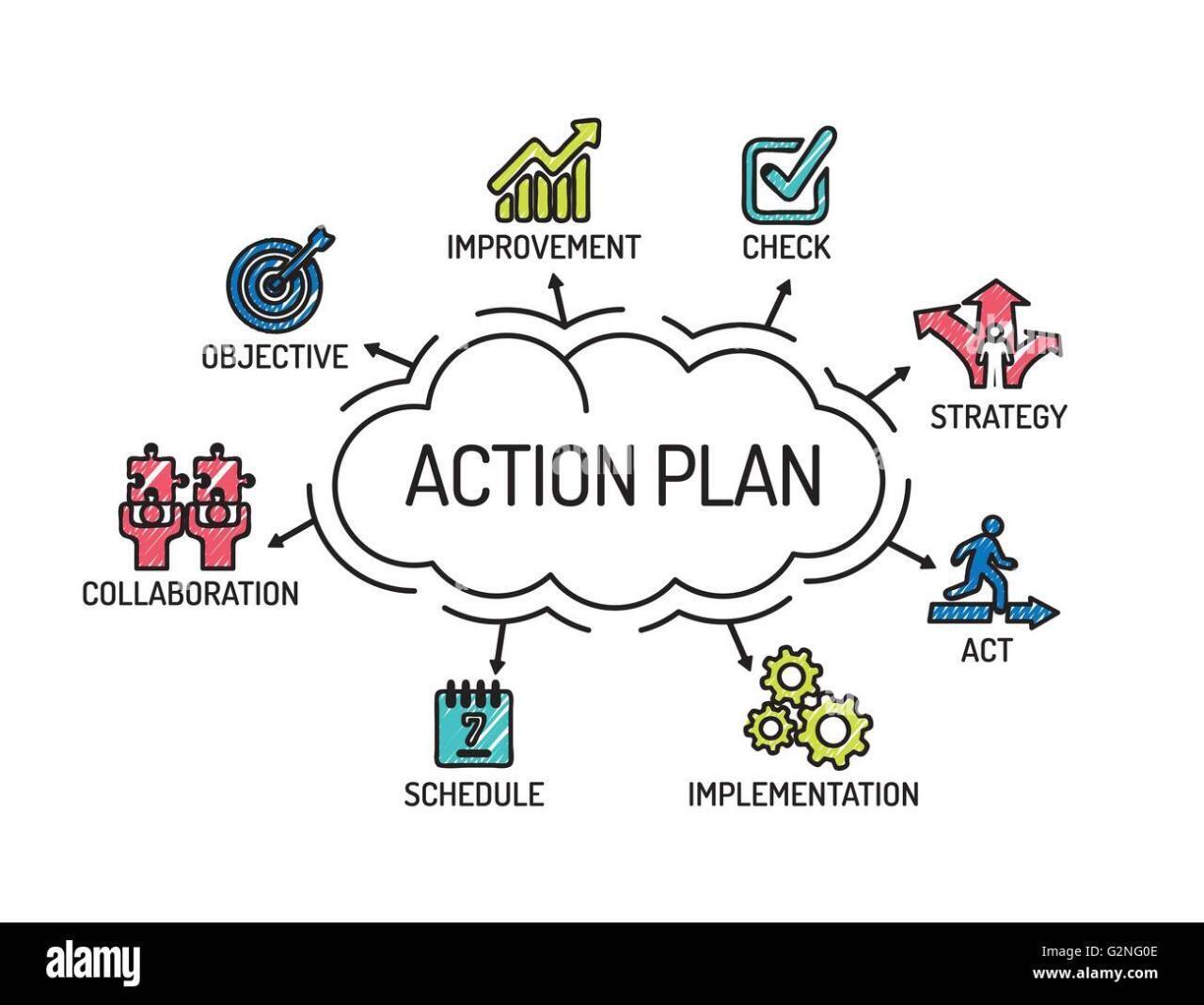
Launching a website is a critical phase that determines its success and effectiveness. It is essential to ensure that all functionalities are working as intended before making the site available to users. This stage not only includes rigorous testing but also encompasses gathering feedback and monitoring performance post-launch to ensure continuous improvement.
Pre-Launch Testing Checklist
A comprehensive checklist is vital for pre-launch testing to confirm that all aspects of the website function correctly. The following checklist Artikels essential areas to focus on before the final launch:
- Cross-Browser Compatibility: Test the website on different browsers, including Chrome, Firefox, Safari, and Edge to ensure consistent performance and appearance.
- Mobile Responsiveness: Verify that the site is fully responsive and functional on various devices, such as smartphones and tablets.
- Functionality Testing: Check all forms, buttons, and interactive elements for correct operation and record any errors.
- Loading Speed: Use tools such as Google PageSpeed Insights to assess the site’s loading time and optimize as necessary.
- Readiness: Ensure that all pages are optimized for search engines, including meta tags, alt text for images, and proper URL structures.
- Security Testing: Confirm that all security measures, including SSL certificates and data protection protocols, are in place.
- Content Accuracy: Review all content for spelling, grammar, and factual accuracy to maintain professionalism.
- Analytics Setup: Ensure that tracking codes for analytics tools, such as Google Analytics, are correctly implemented to monitor website performance.
Strategies for Gathering Feedback Post-Launch
After the website goes live, gathering user feedback is crucial for understanding their experience and identifying areas for improvement. Implement the following strategies to collect meaningful feedback effectively:
- User Surveys: Create and distribute surveys that ask specific questions about user experience, satisfaction, and any technical issues encountered.
- Feedback Forms: Incorporate feedback forms directly on the website, allowing users to provide input easily and quickly.
- Social Media Outreach: Engage with users on social media platforms to solicit feedback and address any concerns they may have.
- Usability Testing Sessions: Conduct remote or in-person usability testing with target users to observe their interactions with the site and gather firsthand insights.
- Monitor Reviews: Keep an eye on reviews and comments on relevant platforms to gauge public perception and identify recurring issues.
Monitoring Performance and Making Adjustments
Continuous monitoring of the website’s performance is essential for maintaining its relevance and effectiveness. Implementing the following practices can help track performance and guide necessary adjustments:
- Analytics Review: Regularly check website analytics to assess traffic sources, user behavior, and engagement metrics, allowing for informed decision-making.
- Performance Metrics: Monitor key performance indicators (KPIs), such as bounce rates, conversion rates, and average session duration, to evaluate user interaction levels.
- A/B Testing: Conduct A/B testing on various elements, such as headlines, images, and CTAs, to determine which versions perform better and optimize accordingly.
- Error Monitoring: Set up alerts for any errors or downtime and respond promptly to minimize disruptions to user experience.
- User Feedback Analysis: Continually analyze feedback collected from users to identify trends and areas that require attention or enhancement.
Final Conclusion
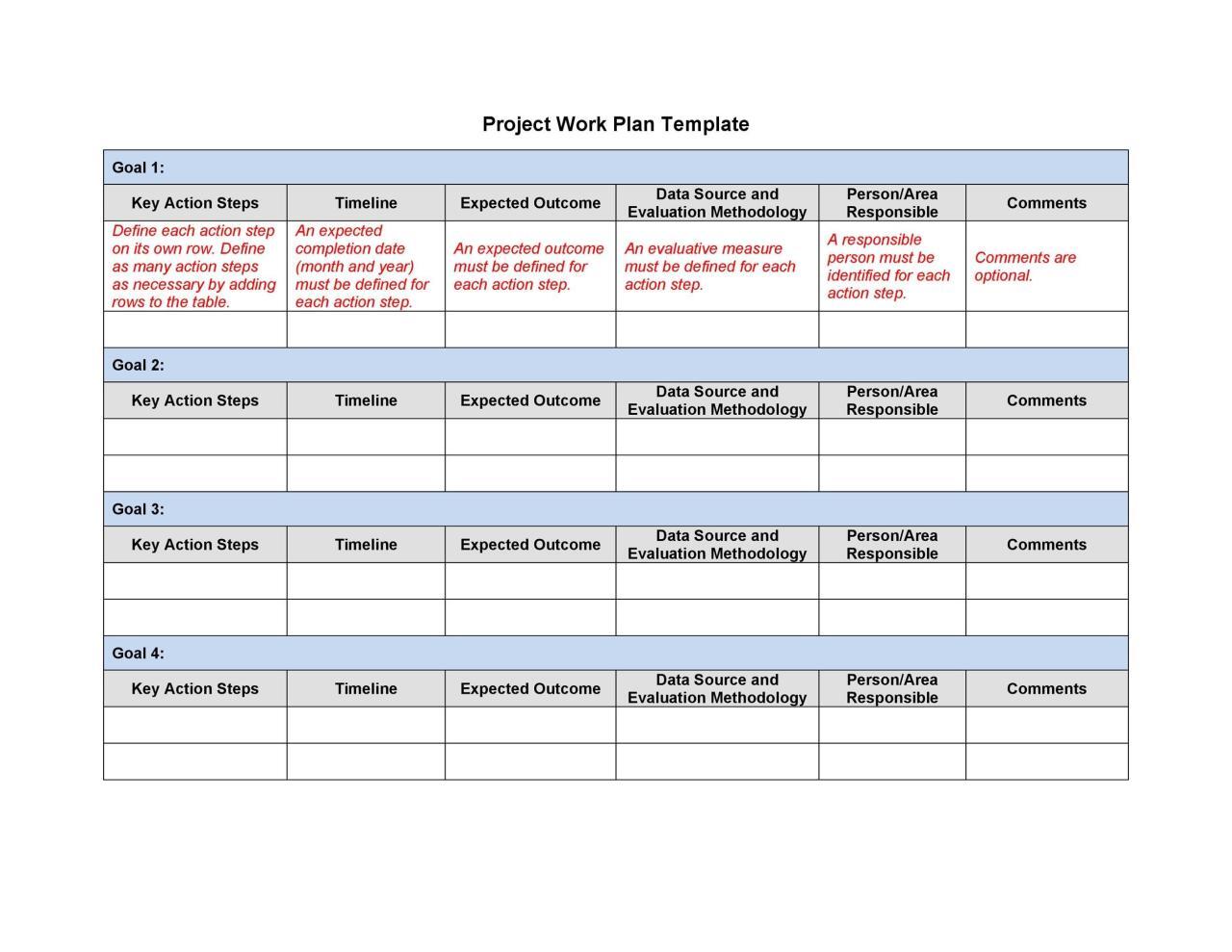
In conclusion, mastering the art of website planning is pivotal for achieving maximum impact in the digital realm. By focusing on user experience, content strategy, and technical performance, you can create an online presence that not only attracts visitors but also converts them into loyal customers. Remember, a well-structured and visually appealing website is a powerful tool that reflects your brand’s values and engages your audience effectively.