How to Design a Mobile-Friendly (Responsive) Website is not just a guideline but a necessary approach in today’s fast-paced digital world. As more users access the internet via mobile devices, the need for websites that adapt seamlessly to various screen sizes is more crucial than ever. A well-designed responsive website not only enhances user experience but also fosters greater engagement and retention.
This article delves into the essential principles and strategies that define effective mobile-friendly design. By exploring tools, techniques, and common pitfalls, we aim to equip designers with the knowledge to create websites that are both visually appealing and functionally robust across all devices.
Importance of Mobile-Friendly Design
In an increasingly digital world, the significance of mobile-friendly design cannot be overstated. With the surge in mobile device usage, businesses and organizations must adapt their web presence to meet the expectations and needs of users who access content on various devices. A responsive website not only enhances accessibility but also reflects a commitment to user experience, which is crucial in today’s competitive landscape.Responsive websites play a pivotal role in optimizing user experience and engagement.
When users access a site that adapts seamlessly to their device’s screen size, they are more likely to stay longer, navigate effectively, and convert from visitors to customers. Research has consistently shown that a positive user experience directly correlates with increased engagement metrics, such as lower bounce rates and higher time spent on site.
Statistics Highlighting Mobile Usage
The necessity of responsive design is underscored by compelling statistics that showcase the growth of mobile web usage. The following points illustrate the trend and its implications for web design:
- According to Statista, as of 2023, mobile devices account for approximately 54.8% of global website traffic, highlighting a substantial shift from desktop to mobile browsing.
- Google reports that 53% of mobile users abandon sites that take longer than three seconds to load, emphasizing the need for optimized mobile-friendly designs that ensure quick access to content.
- A study by Adobe found that 67% of mobile users are more likely to purchase from a mobile-friendly website, demonstrating the direct link between mobile optimization and sales conversions.
- Research by eMarketer predicts that mobile commerce will represent 72.9% of total e-commerce sales by 2025, making responsive design essential for businesses aiming to capture this growing market segment.
These statistics illustrate the critical importance of designing websites that are responsive and mobile-friendly, ensuring they cater to the ever-increasing number of users who rely on their mobile devices for information, shopping, and interaction.
Fundamental Principles of Responsive Web Design

Responsive web design is centered around the need for websites to adapt seamlessly to various screen sizes and devices. This approach ensures that users have a consistent and engaging experience, regardless of whether they access the site using a desktop computer, tablet, or smartphone. The foundation of responsive web design consists of several core principles that guide developers in creating flexible and user-friendly interfaces.
Core Principles of Responsive Web Design
The core principles of responsive web design revolve around creating a fluid and adaptable layout that responds to different devices. These principles ensure that all visual elements scale and reposition themselves to fit appropriately on various screens. Understanding these principles is essential for developing a website that caters to an increasingly mobile-centric audience.
- Fluid Grids: Fluid grids serve as the backbone of responsive design. Unlike fixed-width layouts, fluid grids use relative units like percentages rather than absolute units like pixels. This allows the elements of a web page to resize proportionally based on the screen size. For example, if a layout is designed with a 50% width for a column, it will occupy half of the screen on any device, whether it’s a small smartphone or a large desktop monitor.
- Flexible Images: Images must also be adaptable to maintain the integrity of the design across devices. This is achieved by using CSS techniques such as max-width: 100%. This ensures that images do not exceed their containing element’s width, allowing them to resize without sacrificing quality or aspect ratio. For instance, an image that is originally 800px wide will resize proportionally to fit a 400px wide container on smaller devices.
- Media Queries: Media queries are CSS techniques that enable the application of different styling rules based on the characteristics of the device viewing the content. By specifying conditions such as screen width, height, and orientation, designers can create distinct layouts for various devices. For example, a media query can be set to apply a single-column layout for mobile devices while using a multi-column layout for larger screens.
- Viewport Meta Tag: The viewport meta tag is crucial for responsive web design, as it controls the layout on mobile browsers. By adding
<meta name="viewport" content="width=device-width, initial-scale=1">to the HTML, developers instruct the browser to adjust the page’s dimensions and scaling based on the device’s width. This ensures that the site displays correctly on all devices without excessive zooming or scrolling.
Role of Fluid Grids in Responsiveness
Fluid grids not only facilitate the flexibility of layout but also enhance the overall user experience by ensuring that the content adjusts smoothly across different devices. A fluid grid layout can be described as a series of columns that can be divided into smaller portions, allowing for intricate designs while maintaining readability.For instance, a website employing a fluid grid layout might consist of a 12-column structure.
Each column can be resized based on the screen size, with elements reflowing and stacking as necessary. This dynamic approach prevents the design from breaking or appearing cramped on smaller screens while maximizing the use of available space on larger displays.
Importance of Flexible Images and Media
Flexible images and media elements are vital to preserving the aesthetic and functional integrity of a responsive website. By ensuring these elements can scale proportionally, designers can prevent distortions or cropping that can detract from user experience. For example, videos embedded in a responsive design should also be made flexible. This can be accomplished through the use of CSS to set their width to 100% of their container while maintaining the aspect ratio.
This ensures that videos remain visually appealing and accessible, regardless of the device being used.In conclusion, the fundamental principles of responsive web design—fluid grids, flexible images, and media queries—work together to create a seamless user experience across all devices. By adhering to these principles, designers can ensure that their websites are not only visually appealing but also functional and user-friendly, thereby catering to the diverse needs of today’s digital audience.
Tools and Technologies for Designing Responsive Websites
In the modern digital landscape, creating mobile-friendly websites is essential for enhancing user experience and accessibility. A variety of tools and technologies are available to aid web designers in developing responsive designs that function seamlessly across multiple devices. Utilizing these resources can significantly streamline the design process, ensuring that your website performs optimally whether viewed on a smartphone, tablet, or desktop.
Essential Tools for Creating Mobile-Friendly Websites
Several tools and frameworks have become indispensable in the toolbox of a responsive web designer. These tools facilitate the development of sites that adapt gracefully to different screen sizes, enabling designers to create visually appealing and functionally robust websites. Below is a list of notable tools and frameworks that are widely used in responsive web design:
- Bootstrap: A widely used front-end framework that provides a collection of pre-designed components and grid systems, enabling rapid development of responsive websites.
- Foundation: Similar to Bootstrap, this framework offers a responsive grid and various UI components, emphasizing flexibility and customization.
- Figma: A collaborative interface design tool that allows for the creation of responsive layouts with ease, supporting real-time collaboration among team members.
- Adobe XD: A vector design tool specifically for designing user interfaces and experiences, offering features for creating responsive designs.
- Sketch: A digital design toolkit focused on interface design that simplifies the process of creating responsive visual elements.
Advantages of CSS Media Queries in Responsive Design
CSS media queries are a fundamental aspect of responsive web design, allowing developers to apply different styling rules based on the screen size and device characteristics. This capability is crucial for ensuring that web content is optimally displayed across various devices. The following advantages highlight the importance of CSS media queries:
- Device Adaptability: Media queries enable websites to adapt their layout, images, and content based on the device’s dimensions, ensuring a consistent user experience.
- Performance Optimization: By loading specific styles for certain devices, media queries can enhance loading speeds and reduce resource consumption.
- Enhanced User Experience: Tailoring design elements to specific screen sizes improves usability and engagement, decreasing bounce rates and increasing user satisfaction.
Comparison of Popular Responsive Design Frameworks
When choosing a responsive design framework, understanding the differences and similarities between popular options is vital for making an informed decision. Below is a comparison of Bootstrap and Foundation, two of the most recognized frameworks in the industry.
| Framework | Key Features | Use Cases | Customization |
|---|---|---|---|
| Bootstrap | Responsive grid system, pre-designed components, extensive documentation | Ideal for quickly developing prototypes and responsive websites | Highly customizable with SASS variables |
| Foundation | Flexible grid, customizable components, accessibility features | Best suited for advanced projects requiring detailed customization | Offers deep customization capabilities through SASS structure |
In summary, utilizing the right tools and technologies, including CSS media queries and popular frameworks like Bootstrap and Foundation, empowers designers to create effective and responsive websites that cater to the diverse needs of users across various devices.
Techniques for Testing Mobile Responsiveness

Testing the responsiveness of a website is crucial for ensuring it provides an optimal viewing experience across various devices and screen sizes. A well-tested site not only enhances user satisfaction but also supports better search engine rankings. By employing the right techniques, developers can identify and rectify issues that may impede mobile usability.Several effective methods exist for testing a website’s responsiveness, each valuable in its own right.
These methods can range from simple online tools to advanced testing protocols that utilize browser developer tools.
Methods for Testing Website Responsiveness
Utilizing multiple methods ensures a comprehensive evaluation of a website’s mobile-friendly design. Below are a few key techniques:
- Browser Developer Tools: Most modern web browsers come with built-in developer tools that allow developers to simulate various devices and screen sizes. This method provides an immediate way to test responsiveness without additional software.
- Responsive Design Checker Tools: Online tools like BrowserStack or Responsinator enable users to view a website’s layout across different devices and resolutions effortlessly. These services often showcase multiple screen sizes simultaneously.
- Physical Device Testing: Testing directly on physical devices remains one of the most accurate methods. By using real smartphones and tablets, developers can assess touch interactions, load times, and overall functionality.
- Emulators and Simulators: Software such as Android Studio or Xcode provides environments where developers can emulate various devices. This method is particularly useful for preliminary checks before deploying a site.
Using Browser Developer Tools for Responsive Checks
Browser developer tools are integral for checking responsiveness, as they allow developers to adjust screen dimensions and examine how the layout adapts in real-time. The following step-by-step guide Artikels how to use these tools effectively:
- Open Developer Tools: Right-click on the web page and select “Inspect” or press F12 to open the developer tools panel.
- Activate Device Toolbar: Click the device icon in the developer tools panel to toggle the device mode. This will allow you to see the site as if it were on a mobile device.
- Select Device Type: From the dropdown menu at the top of the viewport, choose a specific device model or enter custom dimensions to emulate various screen sizes.
- Inspect Responsiveness: Refresh the page to see how the layout responds as you change device settings. Pay attention to text readability, image scaling, and navigation functionality.
- Make Adjustments: Use the elements tab to inspect and modify CSS styles to fix any identified issues, allowing for immediate visual feedback.
Checklist for Evaluating a Website’s Mobile-Friendliness
A thorough checklist can simplify the evaluation process, ensuring that all critical factors for mobile-friendliness are assessed. Below is an effective checklist to consider:
“A mobile-friendly site should load quickly, be easy to navigate, and display content appropriately on smaller screens.”
- Check page loading speed on mobile devices to ensure it is under 3 seconds.
- Ensure the text is legible without the need for zooming.
- Test all interactive elements, such as buttons and links, to confirm they are easily clickable.
- Verify that images are responsive and maintain quality across different resolutions.
- Ensure that the layout does not require horizontal scrolling.
- Check compatibility with various mobile browsers, including Safari, Chrome, and Firefox.
- Evaluate the overall user experience by simulating common mobile tasks, such as filling out forms or navigating the site.
Common Mistakes to Avoid in Responsive Design

Designing a mobile-friendly website requires careful consideration to ensure that users have an optimal experience across various devices. Despite the best intentions, designers often encounter several pitfalls that can significantly hinder the usability and effectiveness of a responsive website. Recognizing these common mistakes is essential for creating a seamless user experience.
Frequent Pitfalls in Responsive Design
Many designers overlook critical aspects when creating responsive websites, leading to poor user experiences. Some of the most common mistakes include inadequate testing across devices, over-reliance on frameworks without customization, and neglecting mobile-first design principles. Addressing these issues is vital to improve the performance and accessibility of mobile websites.
Poor Navigation on Mobile Devices
Effective navigation is a cornerstone of user experience, particularly on mobile devices where screen real estate is limited. If navigation is complicated or unintuitive, users may struggle to find the content they seek, resulting in increased bounce rates and diminished engagement. To ensure a positive navigation experience on mobile devices, consider the following strategies:
- Use a clear, minimalistic menu structure that allows users to easily locate essential pages.
- Incorporate touch-friendly buttons that are appropriately sized for mobile interactions.
- Avoid dropdown menus, as they can be cumbersome for users on smaller screens.
- Utilize breadcrumb navigation to help users track their location within the site.
Load Times and Performance Issues
Slow load times can deter users and negatively impact search engine rankings. It is crucial to optimize mobile websites to enhance performance. Poor load times can stem from oversized images, excessive scripts, and unoptimized code.To mitigate these issues and improve load speed, implement the following strategies:
- Compress images and use modern formats such as WebP to minimize file sizes without sacrificing quality.
- Leverage browser caching to reduce loading times for returning visitors.
- Minimize HTTP requests by consolidating files, such as CSS and JavaScript, to streamline loading processes.
- Utilize Content Delivery Networks (CDNs) to distribute content globally, reducing latency and improving loading times for users in different regions.
“A mobile-friendly website is not just a trend; it is a necessity in today’s digital landscape.”
Best Practices for Mobile-Friendly Content

Creating mobile-friendly content is essential in today’s digital landscape where users increasingly rely on their mobile devices for accessing information. Effective mobile content not only enhances user experience but also increases engagement and retention rates. Adhering to best practices in content structuring, media optimization, and typography can substantially improve the accessibility and readability of your website on mobile devices.
Structuring Content for Mobile Audiences
A well-structured content layout is vital for ensuring that mobile users can easily navigate and comprehend the information presented. When structuring content for mobile, consider the following guidelines:
- Prioritize key information by placing it at the beginning of your content. Mobile users often skim text, so presenting the most important details upfront captures their attention effectively.
- Utilize short paragraphs and bullet points to break up text. This makes content more digestible, reducing the cognitive load on mobile users.
- Incorporate headers and subheaders strategically. This aids in scanning the content and allows users to quickly locate the information they seek.
- Ensure that call-to-action elements are prominent and easily clickable. This encourages user interaction without the frustration of misclicks on small screens.
Optimizing Images and Videos for Mobile Delivery
Visual content plays a significant role in enhancing user engagement, but it must be optimized for mobile viewing to ensure quick loading times and a seamless experience. Here are important considerations for optimizing images and videos:
- Use appropriate image formats such as JPEG or WebP for images and MP4 for videos, as these formats offer good quality with reduced file sizes.
- Implement responsive images using the `srcset` attribute, which allows the browser to select the best version of an image based on the device’s screen size.
- Compress images without sacrificing quality to improve loading times. Tools like TinyPNG or ImageOptim can help achieve this.
- Ensure videos are set to autoplay with sound off and are easily accessible for download or viewing in full screen to enhance user engagement.
Importance of Font Sizes and Spacing
Readability is crucial on mobile devices, where screen real estate is limited. The selection of font sizes and spacing significantly impacts how easily users can read your content.
- Utilize a minimum font size of 16px for body text, as smaller sizes can lead to frustration and deter users from reading.
- Maintain adequate line spacing (1.5 times the font size) to ensure the text does not appear cramped, making it easier to read on smaller screens.
- Incorporate generous margins and padding around text elements to prevent text from being too close to the edges of the screen, which can lead to accidental taps and poor user experience.
- Choose legible fonts with clear distinctions between characters. Sans-serif fonts, such as Arial or Helvetica, are generally more readable on screens.
Implementing these best practices not only enhances user engagement but also contributes to improved conversion rates on mobile platforms.
Case Studies of Successful Responsive Websites
In the ever-evolving digital landscape, responsive web design has proven to be a critical component for online success. This section explores exemplary case studies of successful responsive websites, highlighting their design features and the strategic choices that enhance their performance on mobile platforms. By analyzing these websites, we can glean important insights that can inform future design decisions.
Notable Examples of Responsive Websites
Some well-designed responsive websites stand out for their seamless experience across various devices. Below are a few noteworthy examples along with an analysis of their successful features:
1. E-commerce Site
Shopify Shopify’s responsive design is instrumental in providing an effortless shopping experience for users. The site features a clean layout that adapts to screen sizes, ensuring that product images are optimized and easily viewable. The navigation menu transforms into a user-friendly dropdown on mobile devices, enhancing accessibility.
Key Features
Optimized images maintain quality regardless of screen size.
Intuitive mobile navigation enhances user experience.
Fast loading times contribute to lower bounce rates.
2. Media Outlet
The Guardian The Guardian employs responsive web design to deliver news articles efficiently on all devices. The layout adjusts according to the viewport, with content reflowing to maintain readability. The site uses a card-based design for articles, making it visually appealing and easy to navigate.
Key Features
Card-based layout offers distinct sections for various content types.
Responsive typography ensures readability across devices.
Emphasis on multimedia content, such as videos and images, optimally scales to fit screens.
3. Portfolio Website
Awwwards Awwwards showcases design excellence through its responsive website. The site utilizes a grid layout that adjusts based on the screen size, maintaining visual harmony. The use of high-quality images and smooth transitions captivates users while ensuring a consistent experience.
Key Features
Grid layout maintains structure and balance on different devices.
High-resolution images provide a stunning visual experience.
Smooth animations enhance user engagement without hindering performance.
Design Choices Contributing to Success
The successful implementation of responsive design in these websites can be attributed to several key choices:
Fluid Grids and Flexible Images
These elements allow content to scale seamlessly, providing an optimal viewing experience regardless of device size.
Media Queries
CSS media queries enable tailored styles that adjust the layout and content based on the characteristics of the user’s device.
Prioritization of Content
Focus on essential content for mobile users ensures that the most important information is front and center, improving user interaction and satisfaction.
“Responsive design is not just about creating a website that looks good on mobile, but about enhancing user experience across all platforms.”
Lessons Learned for Future Designs
Analyzing these successful case studies reveals valuable lessons that can be applied to future responsive website designs:
User-Centric Approach
Always prioritize the user experience by considering how content is consumed on different devices.
Continuous Testing and Optimization
Regularly test designs on various devices to ensure functionality and aesthetics are maintained.
Embrace Simplicity
Streamlined designs with minimal distractions can enhance usability and keep users engaged.By implementing these strategies, future designs can achieve not only aesthetic appeal but also functional excellence across diverse platforms.
Future Trends in Responsive Web Design
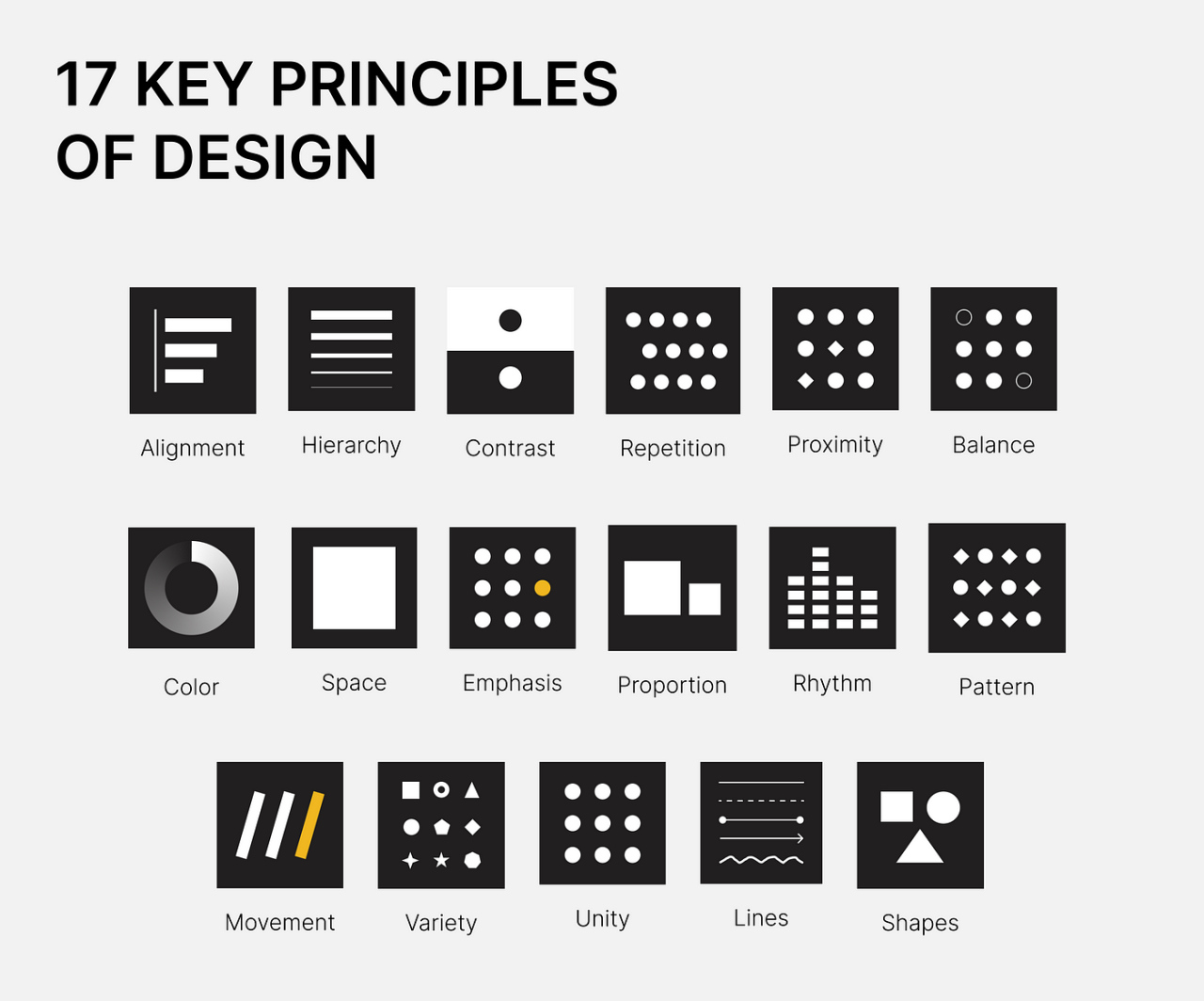
The landscape of responsive web design is continuously evolving, driven by technological advancements and changing user behaviors. As mobile devices increasingly dominate internet access, designers must adapt to emerging trends that will shape the future of web experiences. This section explores the key trends, including the influence of artificial intelligence and shifts in how users interact with digital content.
Emerging Trends Shaping Responsive Web Design
Several key trends are currently influencing responsive web design, reflecting both advancements in technology and the changing landscape of user interaction. These trends include:
- Mobile-First Design: The mobile-first approach prioritizes designing for smaller screens before expanding to larger devices. This shift emphasizes the importance of creating a seamless experience for mobile users, which is increasingly crucial given the rise in mobile internet usage.
- Voice User Interface (VUI): With the proliferation of smart speakers and voice assistants, VUI is becoming a significant aspect of web design. Websites need to accommodate voice searches and commands, necessitating a responsive design that supports audio interactions.
- Progressive Web Apps (PWAs): PWAs combine the best of web and mobile applications, providing a fast, reliable, and engaging user experience. Their responsive nature allows them to function seamlessly across various devices, making them a popular choice for modern web design.
- Dynamic Content: The future will see a greater emphasis on dynamic content that adapts based on user behavior and preferences. This personalized experience enhances engagement and encourages user retention.
Role of Artificial Intelligence in Adaptive Web Experiences
Artificial intelligence (AI) is increasingly being integrated into web design, providing tools and capabilities that enhance adaptive experiences. AI’s role includes:
- User Behavior Analysis: AI can analyze user interactions, allowing designers to understand patterns in behavior. This data informs design decisions to create a more personalized and responsive user experience.
- Automated Design Tools: AI-driven design tools can automate aspects of the design process, such as layout adjustments based on device type or screen size. These tools help streamline responsive design, making it more efficient.
- Content Personalization: AI algorithms can tailor content to individual users, ensuring that relevant information is presented based on their preferences and previous interactions. This dynamic adjustment enhances user engagement and satisfaction.
Changes in User Behavior Influencing Responsive Design Strategies
As technology evolves, so do user expectations and behaviors. Key changes that are influencing responsive design strategies include:
- Increased Use of Mobile Devices: With more users accessing websites via mobile devices than ever before, responsive design is essential for accommodating various screen sizes and ensuring optimal usability.
- Desire for Fast Loading Times: Users expect websites to load quickly, regardless of the device they are using. This requirement necessitates efficient design strategies that prioritize speed and performance in responsive layouts.
- Expectation of Seamless Navigation: Users increasingly demand intuitive navigation that works seamlessly across devices. Designers must focus on creating a unified experience, ensuring that transitions between devices feel effortless.
“The ability to create adaptive web experiences through responsive design is not just a trend; it’s a necessity in the digital age.”
Ending Remarks
In conclusion, mastering the art of designing a mobile-friendly website is an invaluable skill that can lead to greater user satisfaction and business success. As we have explored, understanding responsive design principles, utilizing the right tools, and avoiding typical mistakes are key components in this process. As technology continues to evolve, staying informed about emerging trends will further empower designers to create engaging web experiences that resonate with users.